What app can identify food from a picture? In 2026 there are more options than ever — point your camera at a plate and AI tells you what's on it, estimates the portion, and logs the calories and macros in seconds. The quick verdict: several apps do the recognition part well, but Caltrac is the best choice for most people, because it's the one that lets you actually use the feature — unlimited photo scanning, completely free, with no paywall, plus text-based logging and Apple Health sync built in. Here's how the top contenders compare and where each one falls short.
Apps that identify food from a picture: at a glance
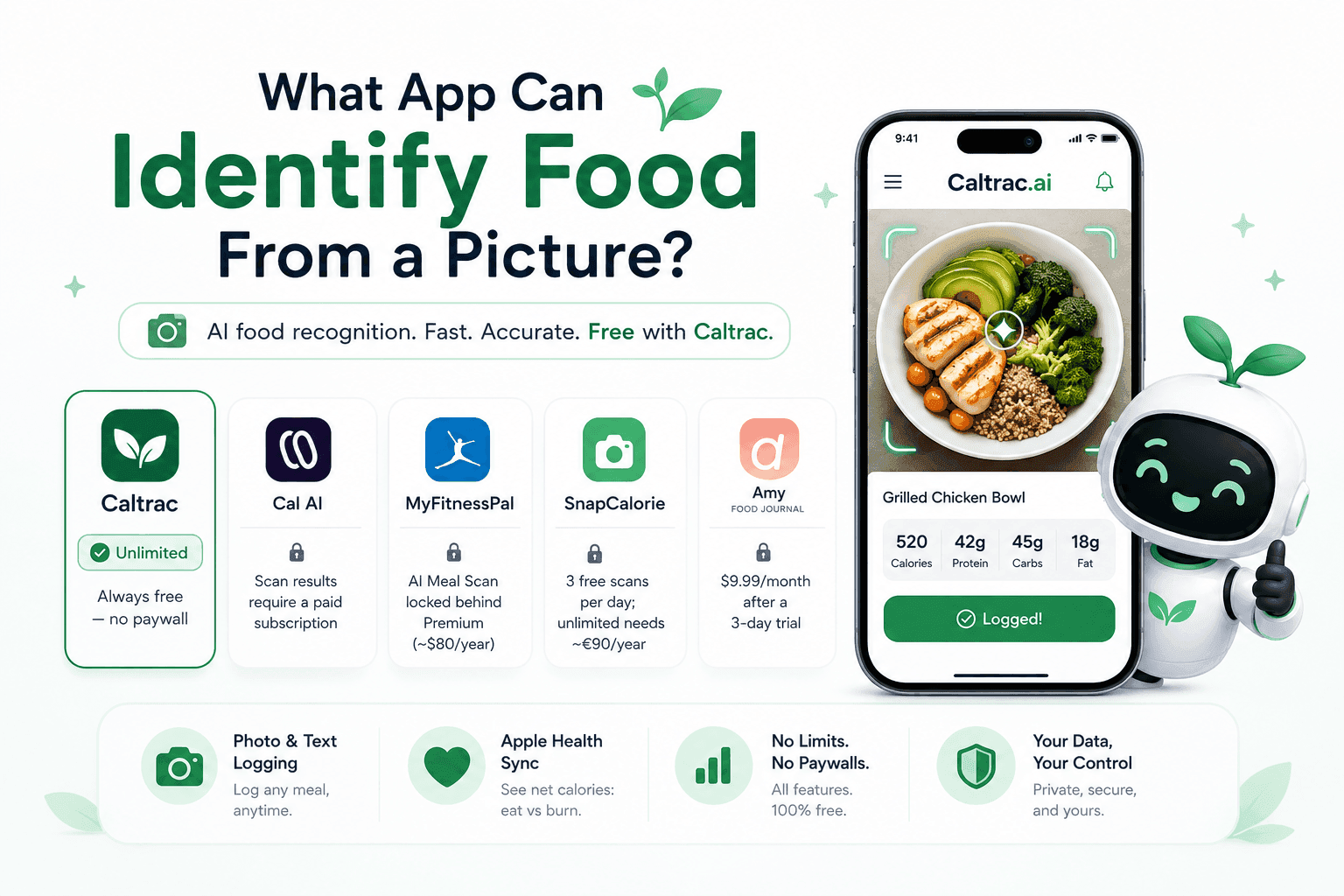
All five apps below use AI image recognition to identify food from a photo. The real difference isn't whether they can scan your meal — it's what it costs you to do it every day.
| App | Identifies food from photos | What photo logging costs you |
|---|---|---|
| Caltrac | ✅ Unlimited | Always free — no paywall |
| Cal AI | ✅ | Scan results require a paid subscription |
| MyFitnessPal | ✅ | AI Meal Scan locked behind Premium (~$80/year) |
| SnapCalorie | ✅ | 3 free scans per day; unlimited needs a ~€90/year subscription |
| Amy Food Journal | ✅ | ~$9.99/month after a 3-day trial |
The headline takeaway: most apps treat photo food recognition as a premium upsell. Caltrac treats it as the core feature — and gives it to you free, with no daily quota and no trial countdown.
Where the "free" apps stop being free
If you've downloaded a photo calorie app before, you've probably hit the same wall: the download is free, the first scans feel magical, and then the paywall appears.
- Cal AI is one of the most downloaded AI calorie trackers, but its food scanning analysis requires a subscription — the app's own listing spells it out.
- MyFitnessPal has the biggest food database in the industry and a highly rated photo scanner, but AI Meal Scan sits in the Premium tier at roughly $80 per year.
- SnapCalorie is more generous — three free photo scans per day — but three scans doesn't cover breakfast, lunch, dinner, and snacks. Unlimited scanning means paying around €90 a year.
- Amy Food Journal is fast, but there's no lasting free tier at all: after a 3-day trial it's about $9.99 every month.
This matters more than it might seem. Research on food journaling consistently shows that consistency beats precision — the people who get results are the ones who log every meal, every day. A daily scan quota or a subscription decision is exactly the kind of friction that breaks the habit. The moment you start rationing scans or skipping logs to "save" them, the tool has failed at its one job.
Why Caltrac is the best app to identify food from a picture
Always free — no paywall, ever
Caltrac's photo recognition is 100% free with no paywall. Not a free trial, not three scans a day, not a limited tier designed to push you toward Premium. You can photograph every meal and snack, every day, and never hit a wall. For a habit that only works when you do it consistently, this is the single biggest advantage any tracker can offer — and it's the one most competitors won't.
Photo and text logging
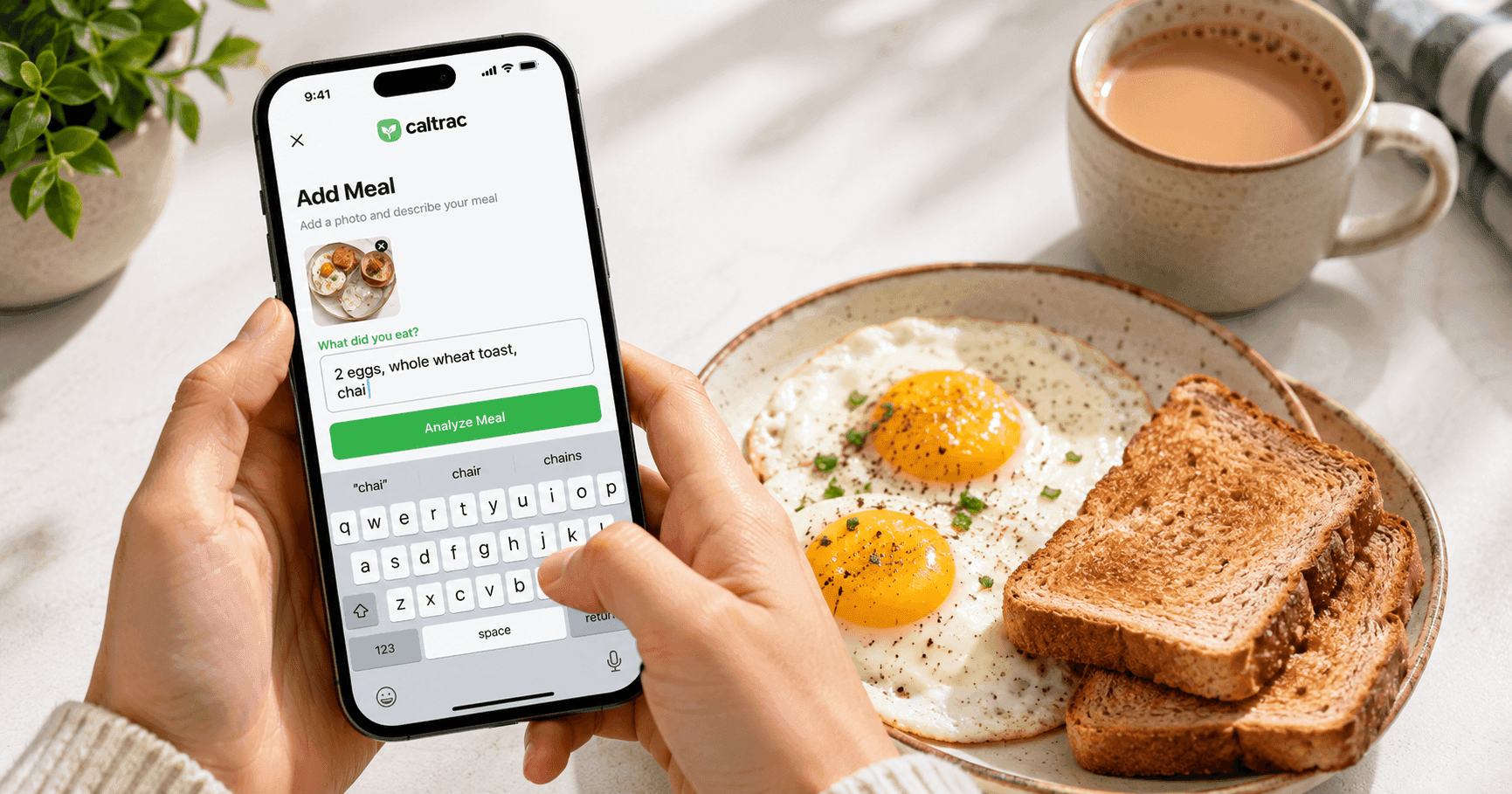
A camera can't see everything. Smoothies hide their ingredients, restaurant lighting can be dim, and sometimes you finished the meal before you remembered to log it. That's why Caltrac also lets you log meals from text — just type what you ate ("two eggs, toast with butter, black coffee") and it's logged in seconds. Most photo-first apps make text entry a clunky afterthought or another premium feature; in Caltrac, photo and text are two equal doors into the same fast log.
Apple Health sync with net calorie tracking
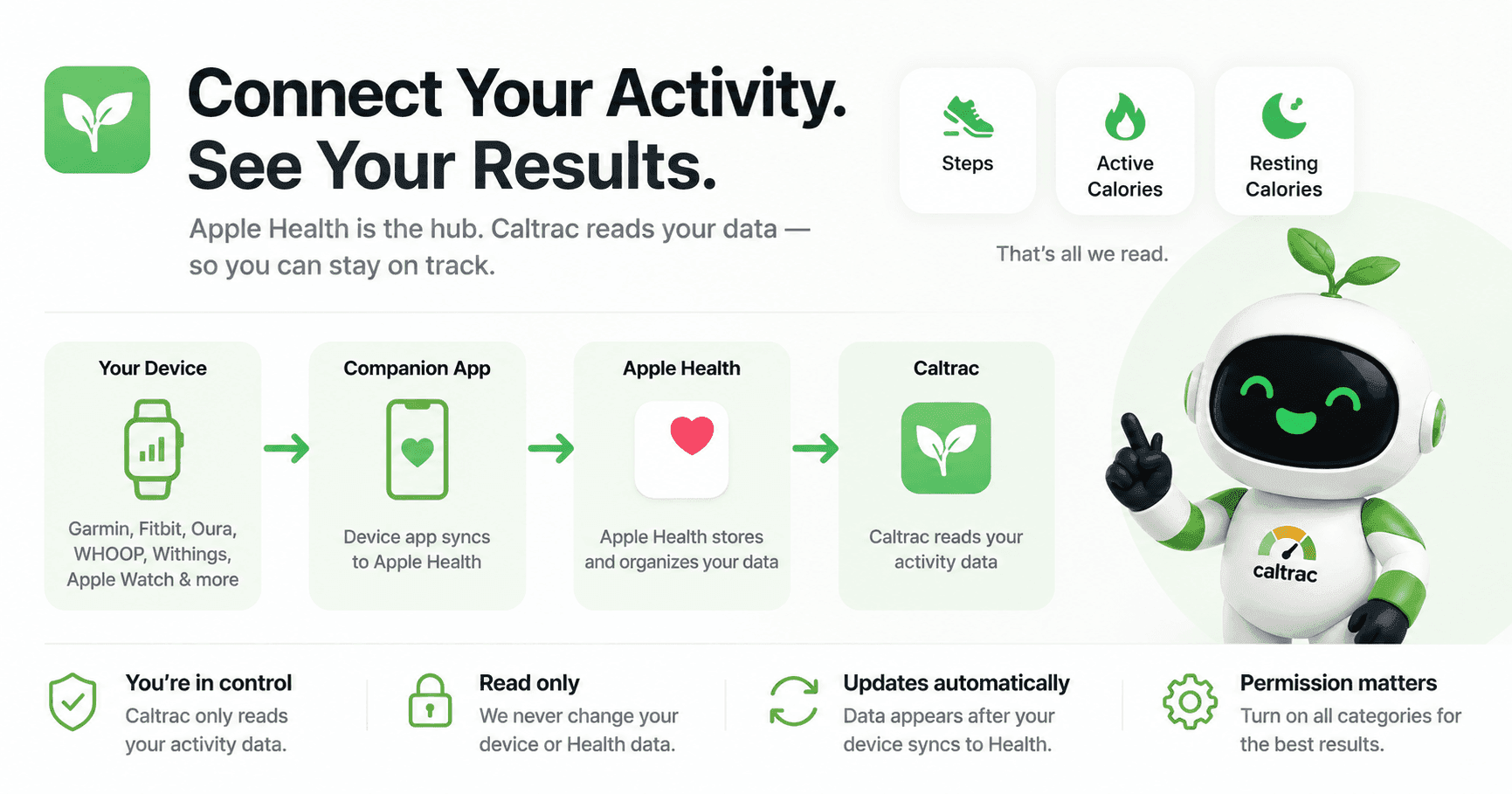
Caltrac syncs with Apple Health — and it doesn't just push data one way. It combines your logged calories with the activity and workout data Apple Health already collects to show your net calories: what you ate minus what you burned. That's the number that actually determines whether you're in a deficit, at maintenance, or in a surplus — and most trackers make you do that math yourself across two apps. With Caltrac, one glance tells you where you stand for the day, and it updates as you move.
Nothing held hostage
Because there's no premium tier gating the essentials, you never have to wonder which features you're missing. Scan it, type it, sync it — the full experience is the free experience.
How Caltrac identifies food from a picture
Under the hood, Caltrac uses AI computer vision trained on millions of food images. Take a photo and it identifies the foods on the plate, estimates portion sizes from visual cues like plate size and food volume, and returns calories, protein, carbs, and fat in seconds. A few tips get you the best results:
- Shoot from slightly above the plate, with the whole meal and the plate edges in frame — that's how the AI judges portion size.
- Use decent lighting when you can; dim photos are harder to read.
- Add hidden extras like cooking oil or dressing with a quick text note or tap — the camera can see the chicken, not the tablespoon of olive oil it was cooked in.
And when a photo isn't practical, text logging covers the gap — no meal goes untracked.
The verdict
Plenty of apps can identify food from a picture. Only one lets you do it without limits, without a subscription, and without friction. Cal AI, MyFitnessPal, SnapCalorie, and Amy Food Journal all lock full photo logging behind a paywall or a quota — Caltrac gives you unlimited scanning, text logging, and Apple Health sync completely free. For a habit where consistency is everything, the best app is the one you'll actually use at every meal, and free-forever removes the last excuse.
Ready to see it on your own plate? Get started with Caltrac free — snap your next meal and watch it log itself.
FAQ
Is there a truly free app that identifies food from a picture? Yes — Caltrac. Most competitors offer photo recognition only behind a subscription or a daily scan limit, but Caltrac's photo logging is always free with no paywall and no scan quota.
How accurate is AI food recognition from photos? Modern apps identify common, clearly plated foods reliably, though accuracy drops for mixed dishes, smoothies, and hidden ingredients like cooking oil. Treat the scan as a fast starting point and make quick edits when needed — an estimate you log consistently every day beats a perfect number you log twice a week.
What if I can't take a photo of my meal? With Caltrac you can log meals from text instead — type what you ate and it's tracked in seconds. It's the ideal backup for meals you forgot to photograph, blended foods, or anything the camera can't see.
Does Caltrac sync with Apple Health? Yes. Caltrac syncs your nutrition data with Apple Health, so your food log sits alongside your activity, workouts, and weight in one place — and other Health-connected apps can use the same data.